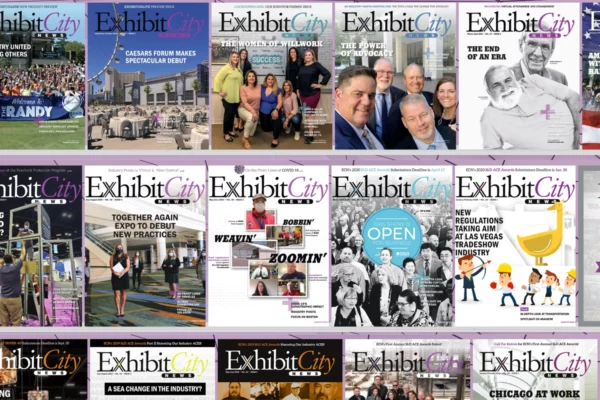





Exhibit City News (ECN) has moved its digital magazine from Issuu to Heyzine, making each issue available directly on ExhibitCityNews.com.
Readers can flip through pages, search the magazine, zoom in, enter fullscreen mode, and open interactive links without leaving the ECN website. A separate Heyzine link is also available for readers who prefer to open the issue in its own browser tab.
Find your way around
- A row of icons along the bottom of the magazine provides several ways to explore the issue:
- Double-left arrow (≪): Jump to the first page.
- Left arrow (‹): Go back one page.
- Right arrow (›): Move forward one page.
- Double-right arrow (≫): Jump to the final page.
- Four-square grid (▦): View page thumbnails and jump to another section.
- Magnifying glass with a plus sign (🔍+): Zoom in on the current page.
- Four-corner icon (⛶): Open the magazine in fullscreen mode.
- Magnifying glass (🔍): Search for a company, person, topic, or keyword.
Readers can also share the issue, copy its direct link, or open it in a separate browser tab.
Use the section tabs
Tabs along the right side of the magazine offer shortcuts to key sections.
Readers can select tabs such as Table of Contents, ExSys Awards, and Ad Index to jump directly to those pages. The featured tabs may change with each issue based on its content.
The Ad Index gives readers a quick way to find companies featured throughout the magazine.
Search, zoom, and go fullscreen
The search tool can quickly find companies, people, destinations, convention centers, products, and stories. For longer issues, it offers a faster option than flipping through every page.
Zoom and fullscreen mode make small text, advertisements, photographs, and detailed graphics easier to view. These features are especially helpful on phones and tablets, where the magazine adjusts to fit the screen.
Select advertisements and editorial links
Advertisements and other linked elements within the magazine are interactive.
Readers can select a linked advertisement to visit an advertiser’s website or another online page chosen by the company. This gives readers a direct way to learn more without manually typing a web address or searching for the business.
Editorial links may also connect readers with related ECN stories and outside resources. If a link does not open correctly, readers can contact ECN so the team can check it.
Two ways to read
Readers can access the same digital issue on ExhibitCityNews.com or through its separate Heyzine link. Either option includes search, zoom, fullscreen, thumbnails, section tabs, and interactive links.
The goal is simple: make ECN easier to read, explore, and share while giving readers a more direct connection to the companies featured in each issue.
Related stories
ECN Announces 2026 Quarter 4 Print Edition: Finding the Next Great Idea